About Razer PC Remote Play
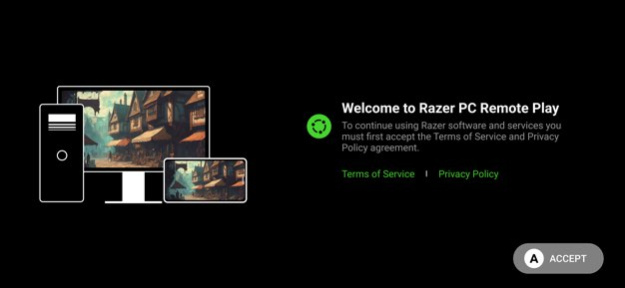
THE ULTIMATE PC-TO-MOBILE STREAMING PLATFORM The power of your gaming rig now fits in your pocket. Stream your favorite games using your PC, launch them directly from your mobile device, and take your immersion to the...
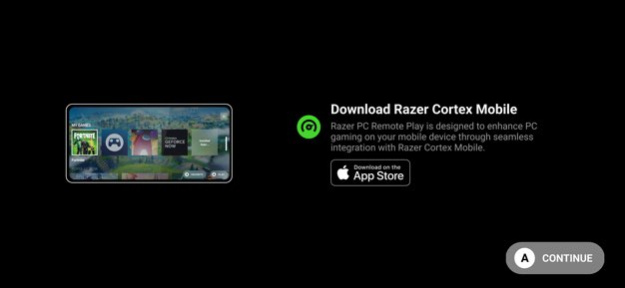
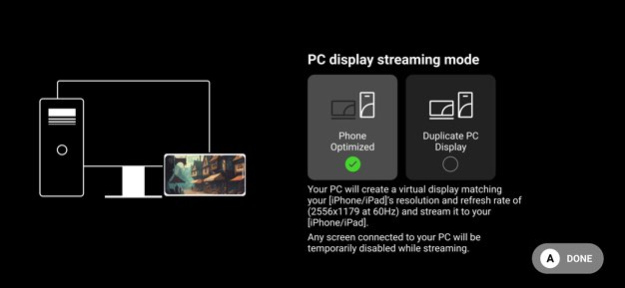
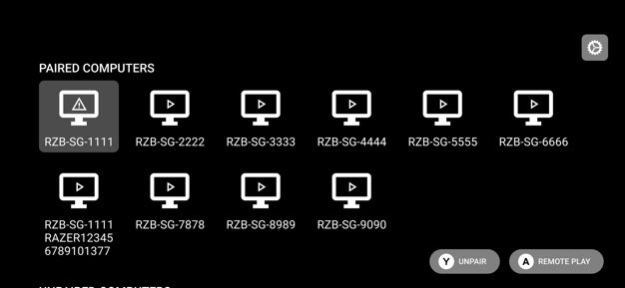
THE ULTIMATE PC-TO-MOBILE STREAMING PLATFORM The power of your gaming rig now fits in your pocket. Stream your favorite games using your PC, launch them directly from your mobile device, and take your immersion to the next level with the sharpest, smoothest visuals. STREAM AT YOUR DEVICE'S FULL RESOLUTION & MAX REFRESH RATE Unlike other streaming services that lock your gameplay to fixed aspect ratios, Razer PC Remote Play allows you to take full advantage of your device’s powerful display. By automatically adjusting to its maximum resolution and refresh rate, you’ll be able to enjoy the sharpest, smoothest visuals no matter where you game. WORKS WITH RAZER NEXUS Razer PC Remote Play is fully integrated with the Razer Nexus Game Launcher, providing a one-stop place to access all your mobile games with console-style experience. With one button press of your Kishi controller, instantly access Razer Nexus, browse all the games on your gaming PC, and play them on your mobile device. STREAM DIRECTLY FROM RAZER CORTEX ON PC Bring the cutting-edge hardware of your Razer Blade or PC setup to bear. Use the power of your system to run the most resource-intensive games on your mobile device-all with a single click. PLAY GAMES FROM STEAM, EPIC, PC GAME PASS, & MORE Razer PC Remote Play works with all popular PC gaming platforms. From indie gems to AAA releases, add any number of your favorite titles from various PC game libraries to your mobile device.
Version History Bug fixes and performance improvements 2.0.3 Sep 1 Improved compatibility with iOS 26 2.0.2 11/24/2025 • Added HDR support 2.0.1 10/27/2025 • Added HDR support 2.0.0 06/12/2025 • Significantly improved streaming reliability • Added support for AV1 codec on compatible devices • Improved stability of PC virtual display driver • Improved support for multiple PCs with Remote Play on the same network • Fixed rare bug where PC audio output would sometimes not automatically switch to previous speakers when streaming ends • Fixed bug where client would sometimes need multiple attempts to connect to host 1.0.0 04/10/2025 Nexus now enables quick, easy access to first-class PC remote play! Browse your PC games directly from Nexus, then use Razer PC Remote Play to play those games directly from your mobile device. 0.5.1 01/22/2025 0.5 01/06/2025
Previous Versions
Here you can find the changelog of Razer PC Remote Play since it was posted on our website on 2026-01-25 02:17:33.
The latest version is 2.0.3 and it was updated on 2026-10-07 01:15:39. See below the changes in each version.
Razer PC Remote Play version 2.0.3
Updated At: 2026-10-07
Changes: Version History Bug fixes and performance improvements 2.0.3 Sep 1 Improved compatibility with iOS 26 2.0.2 11/24/2025 • Added HDR support 2.0.1 10/27/2025 • Added HDR support 2.0.0 06/12/2025 • Significantly improved streaming reliability
• Added support for AV1 codec on compatible devices
• Improved stability of PC virtual display driver
• Improved support for multiple PCs with Remote Play on the same network
• Fixed rare bug where PC audio output would sometimes not automatically switch to previous speakers when streaming ends
• Fixed bug where client would sometimes need multiple attempts to connect to host 1.0.0 04/10/2025 Nexus now enables quick, easy access to first-class PC remote play! Browse your PC games directly from Nexus, then use Razer PC Remote Play to play those games directly from your mobile device. 0.5.1 01/22/2025 0.5 01/06/2025
Razer PC Remote Play version 2.0.3
Updated At: 2026-09-05
Changes: Version History Bug fixes and performance improvements 2.0.3 3d ago Improved compatibility with iOS 26 2.0.2 11/24/2025 • Added HDR support 2.0.1 10/27/2025 • Added HDR support 2.0.0 06/12/2025 • Significantly improved streaming reliability
• Added support for AV1 codec on compatible devices
• Improved stability of PC virtual display driver
• Improved support for multiple PCs with Remote Play on the same network
• Fixed rare bug where PC audio output would sometimes not automatically switch to previous speakers when streaming ends
• Fixed bug where client would sometimes need multiple attempts to connect to host 1.0.0 04/10/2025 Nexus now enables quick, easy access to first-class PC remote play! Browse your PC games directly from Nexus, then use Razer PC Remote Play to play those games directly from your mobile device. 0.5.1 01/22/2025 0.5 01/06/2025
Razer PC Remote Play version 2.0.2
Updated At: 2026-08-26
Changes: Version History Improved compatibility with iOS 26 2.0.2 11/24/2025 • Added HDR support 2.0.1 10/27/2025 • Added HDR support 2.0.0 06/12/2025 • Significantly improved streaming reliability
• Added support for AV1 codec on compatible devices
• Improved stability of PC virtual display driver
• Improved support for multiple PCs with Remote Play on the same network
• Fixed rare bug where PC audio output would sometimes not automatically switch to previous speakers when streaming ends
• Fixed bug where client would sometimes need multiple attempts to connect to host 1.0.0 04/10/2025 Nexus now enables quick, easy access to first-class PC remote play! Browse your PC games directly from Nexus, then use Razer PC Remote Play to play those games directly from your mobile device. 0.5.1 01/22/2025 0.5 01/06/2025
Razer PC Remote Play version 2.0.2
Updated At: 2025-11-24
Changes: Improved compatibility with iOS 26
Disclaimer
Official App Store Link
We do not host Razer PC Remote Play on our servers. We did not scan it for viruses, adware, spyware or other type of malware. This app is hosted by Apple and passed their terms and conditions to be listed there. We recommend caution when installing it.
The App Store link for Razer PC Remote Play is provided to you by apps112.com without any warranties, representations or guarantees of any kind, so access it at your own risk.
If you have questions regarding this particular app contact the publisher directly. For questions about the functionalities of apps112.com contact us.